
WiseBudget
Your Financial Dashboard for Mac
Track expenses and income across multiple currencies, sync transactions from Wise and Monobank, plan monthly budgets per category, and visualize spending with charts and analytics — all in one native Mac app.

Available now on the Mac App Store
See Your Money, Every Way
Four views into the same data — the month, the trend, and the whole picture.
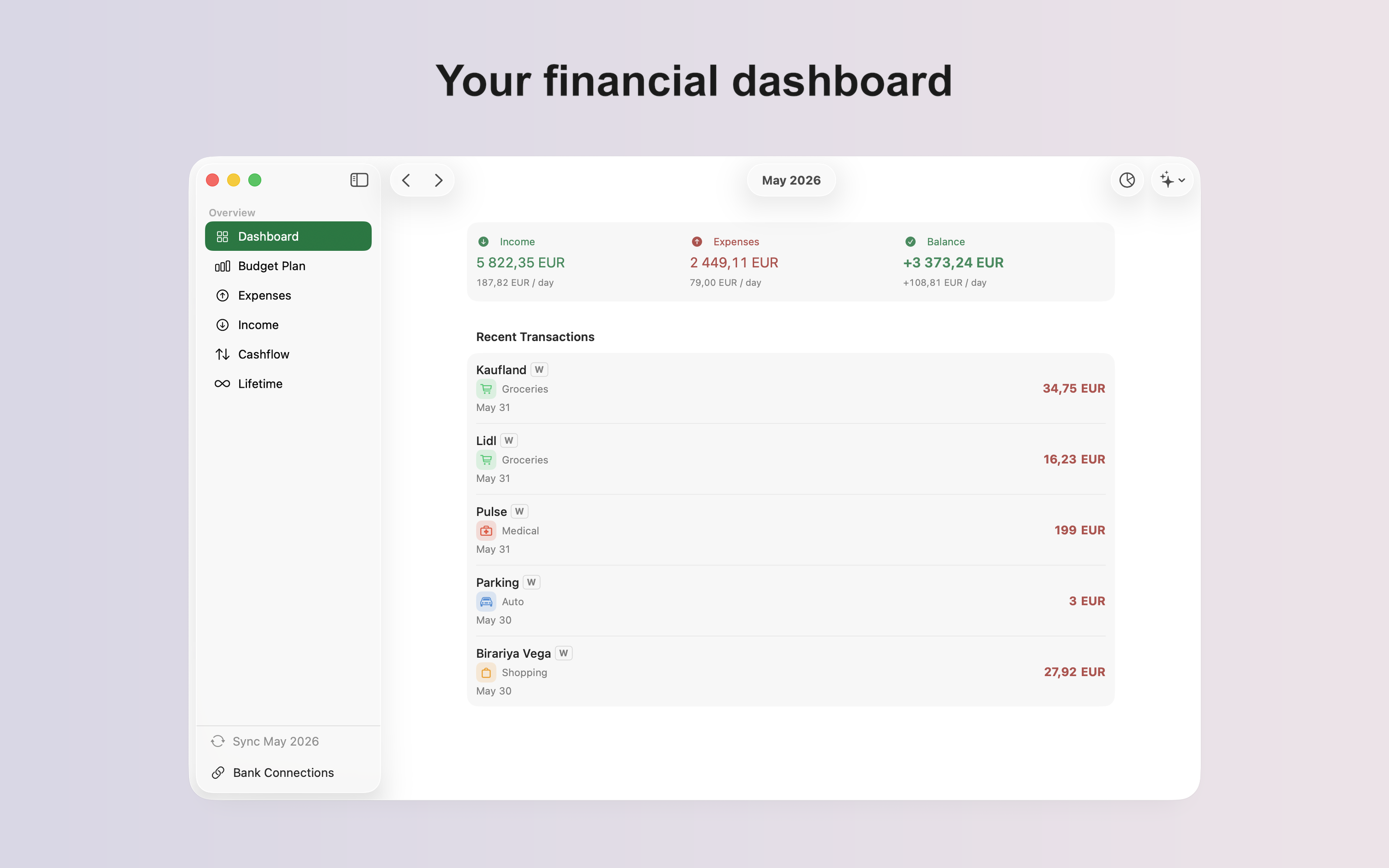
Dashboard
Income, expenses, and balance for the month, plus your latest transactions at a glance.
Budget Plan
Set a per-category budget and watch pacing bars fill up as the month goes on.
Cashflow
Compare income vs. expenses month by month, with a running balance for each.
Lifetime
Every year at a glance — income vs. expenses trends and cumulative net since day one.
Screenshots
Key Features
Bank Sync
Sync transactions automatically from Wise and Monobank, with duplicates detected and skipped.
Budget Planning
Set a monthly budget per category and track pacing against it in real time.
Multi-Currency
Track expenses and income across currencies, converted to your base currency automatically.
Cashflow Insights
See income vs. expenses month by month, plus lifetime trends since your very first transaction.
Spending Calendar
Browse a daily calendar view of spending to spot the days that broke your budget.
Private by Design
No accounts, no servers — your financial data stays on your Mac, always.